 blog
One-Time Purchase AI Desktop Software: What to Buy
Last Updated: November 21, 2026
Quick Summary
A one-time purchase AI desktop software license pays once for the agent itself, but cloud AI thinking is billed separately. Able is a one-time Windows agent from Apex Empire Inc. that acts on your PC after you approve each step, with a 3-day trial that needs no card.
- Check whether the license is one-time or a recurring fee before you buy.
- A one-time license covers the agent, while chat and research still need paid cloud fuel.
- Able organizes and finds files, runs terminal commands, and types vault logins on Windows 10 and 11.
- Able's 3-day trial needs no card and covers chat, file work, screen viewing and clipboard checks.
- Organizing, finding and vault work run without a cloud brain, but chat needs an internet connection.
Table of Contents
- What One-Time Purchase AI Desktop Software Actually Includes
- Best AI Desktop App for Windows: How to Judge the Options
- One-Time Purchase AI Desktop Software Review: Pricing, Trials and Recurring Costs
- Offline AI Software for PC: What Works Without Internet
- Windows AI Agent for File Management: Organizing, Finding and Vault Logins
- How Able Compares to Chat Tools, Lapu and Local Model Apps
- Trying Able on Your Windows PC Before You Buy
- Frequently Asked Questions
What One-Time Purchase AI Desktop Software Actually Includes
Most people searching for one time purchase AI desktop software want to stop paying a monthly fee for every tool they use. The catch is that "one-time" can mean very different things. Some products sell a lifetime license to a program that still calls a paid cloud model. Others sell a local tool that does almost nothing without an internet connection. Knowing which one you're buying changes what you get.
Able is a licensed Windows 10 and 11 desktop agent from Apex Empire Inc., sold at https://uable.store. After you say yes, Able can organize and find files, run terminal commands, and type vault logins on your PC. The license is one-time, and the trial runs 3 days with no card required.
Local agent versus chat tab versus local model
Three product types get grouped together under "AI software," but they do different jobs. A chat tab answers questions in a browser and can't touch your files. A local model app, such as Ollama or LM Studio, runs an AI model on your hardware. A desktop agent takes actions on your machine after you approve them.
Able is the third type. It is not Ollama, LM Studio, Jan, or Open Interpreter. Those run local models, while Able works as the file, terminal, and vault agent on Windows. For the full product overview, see https://uable.store/windows-desktop-ai-agent/.
Best AI Desktop App for Windows: How to Judge the Options
Choosing the best AI desktop app for Windows starts with one question: does the app act on your PC, or only talk about it? For a broader roundup of desktop productivity picks to weigh alongside Able, compare several options before you decide. A tool that writes a plan for reorganizing your Downloads folder is useful.
Check four things before you buy:
- Where it runs: Native Windows software behaves differently from a browser tab with a sidebar.
- What it can touch: Look for file access, terminal access, and how credentials are stored.
- What the license covers: Confirm whether the price is a one-time purchase or a recurring fee.
- What you pay on top: Some agents need a separate paid model account to think, and that cost keeps running.
Able is built around the first two points. It works on your Windows PC, and vault logins are typed locally so the model never sees the password. For a direct Rosply comparison on price and features, see how the two one-time Windows agents differ. Chat and research still go to cloud brains such as Claude, Gemini, Grok, or Kimi over the internet.
Watch out: Don't assume a "lifetime" offer covers the AI itself. Read what the license includes and what it doesn't before you pay.
One-Time Purchase AI Desktop Software Review: Pricing, Trials and Recurring Costs
A one-time license changes the math on long-term use, but only if you count the second cost line honestly. Able's license is one-time, and it is not a monthly desktop subscription. For current prices and plan details, check the pricing section at https://uable.store/#pricing. The trial is 3 days with no card, so you can test file organization and terminal work on your own PC before committing at https://uable.store/trial/.
The part most buyers miss is that a one-time license covers the agent, not the thinking. Able's chat and research calls go to cloud brains such as Claude, Gemini, Grok, or Kimi over the internet, and the fuel you pay for covers that usage. Organizing files, finding documents, and using the vault work without a brain, but chat needs one.
Break-even math over one, two and three years
Run the comparison on total cost of ownership rather than sticker price. A monthly desktop subscription keeps charging every month for as long as you use it, and the total grows the longer you stay. A one-time Able license is paid once, then only the cloud fuel you use is ongoing. The break-even point is the month where the one-time license plus your fuel spend drops below what the subscription would have charged over the same period.
A common pattern is to underestimate fuel because it is variable. Track your first month of chat usage during the 3-day trial and a follow-up week, then multiply to a yearly estimate. Add that to the one-time license and compare it to twelve months of any subscription you are replacing. That number, not the headline price, is the honest comparison.
What the trial actually covers
The trial matters more than the price for most buyers. Able's 3-day trial needs no card and covers chat, file work, screen viewing, and clipboard checks. Vault, logins, posting, and deletion are not part of the trial, so you can test the core workflow without exposing sensitive accounts. Use those three days to run the break-even estimate above on your own files and your own chat volume.
Watch out: Don't assume a "lifetime" offer covers the AI itself. Read what the license includes and what it doesn't before you pay, and budget fuel as a separate ongoing line rather than pretending the one-time price is the whole cost.
The table below pulls the key pricing, trial and cost facts from this section into one place so you can compare them at a glance.
| Item | Value | Note |
|---|---|---|
| License | One-time | Not a monthly desktop subscription |
| Trial length | 3 days | No card required |
| Trial covers | Chat, file work, screen viewing, clipboard checks | Vault, logins, posting, deletion not included |
| Cloud brains | Claude, Gemini, Grok, Kimi | Rented over the internet; billed as fuel |
| Ongoing cost | Fuel for cloud thinking | Separate from the one-time license |
| Platform | Windows 10 and 11 | Mac and Linux not yet shipping |
Offline AI Software for PC: What Works Without Internet
Offline AI software promises AI without a connection, but the phrase covers several different setups. A local model app runs entirely on your hardware, though it is usually slower and less capable than cloud models. A desktop agent needs a model to reason, and the model is usually cloud-hosted.
Able is not fully offline. File organizing, finding files, and vault logins work without a brain. Chat and research need internet access because they call cloud models. This is a hybrid design, and it's worth knowing before you expect a tool to work on a plane.
If you need a product that never touches the internet, a local model app is the better fit. If you want an agent that acts on your files and types logins for you, Able's hybrid approach is the trade-off to weigh.
Windows AI Agent for File Management: Organizing, Finding and Vault Logins
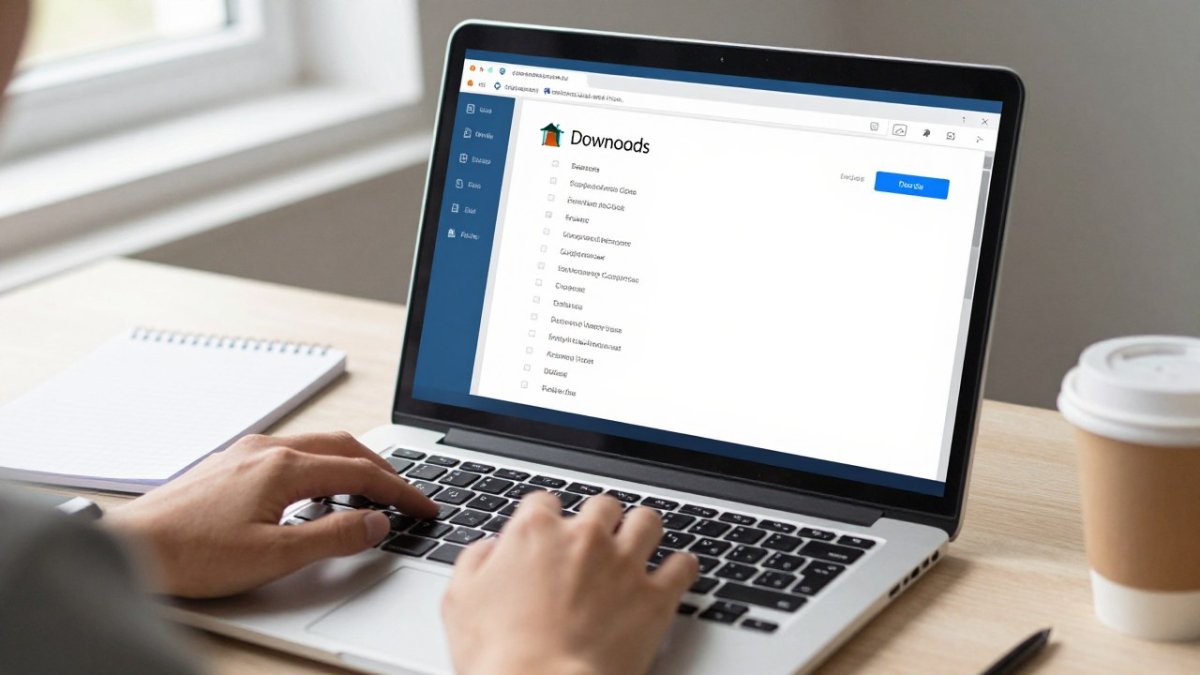
Managing files is where a desktop agent earns its place. Able can sort a cluttered Downloads folder, locate a document by name or content, and run terminal commands for batch file work. Each action waits for your yes, so you stay in control.
Vault logins work differently from most AI tools. Able types credentials from its vault into the site or app you're using, and the model never receives the password. Your vault stays on this Windows PC rather than in a chat transcript.
A common mistake is giving an agent broad access before you know how it behaves. Start with a single folder, confirm the results, and expand from there.
!A professional at a desk on a Windows laptop reviewing a neatly organized Downloads folder, with a notepad and coffee nearby
How Able Compares to Chat Tools, Lapu and Local Model Apps
Most comparisons stop at features. The decision usually turns on three things competitors rarely spell out: what the license covers, what happens to updates, and what "lifetime" actually means. Here is how Able sits against the three alternatives you will run into.
Chat tools like ChatGPT are good at answering questions in a browser. They don't organize your files or run commands on your PC, and they are billed as an ongoing subscription, so the cost never stops.
Lapu AI is a desktop agent that ships for Mac. Able is a one-time Windows license with a local vault. For a direct comparison, see https://uable.store/vs/lapu/.
Local model apps such as Ollama and LM Studio run AI models on your hardware with no subscription. They're a strong choice for private, offline text generation.
What "lifetime" and updates actually mean
This is the gap most lifetime-deal pages skip. A one-time Able license is a one-time purchase of the software, not a promise that cloud model access is free forever. The cloud brains Able calls are rented, so fuel pays for that thinking and is separate from the license.
A common pattern with lifetime deals is that the software license is perpetual but the cloud dependency is not, so a vendor or model provider change can affect chat even though your license is intact. Able's split is explicit: organize, find, and vault work without a brain, while chat needs internet and a cloud model.
Pick based on the job and the license terms. Chat tabs answer questions in a browser, local model apps run models on your hardware, and Able acts on your Windows PC after you approve each step.
Trying Able on Your Windows PC Before You Buy
The fastest way to judge Able is to run it on your own files. The 3-day trial needs no card, and it covers chat, file work, screen viewing, and clipboard checks.
Able is built for Windows 10 and 11. Mac and Linux are planned but not shipping yet. Download it from https://uable.store and try it on a folder you already know well.
Before trusting any agent with logins and files, read what is verified about its data handling. See what is true about Able's vault and data handling before you rely on it. The trust page at https://uable.store/trust/ sets out what Able does and doesn't claim.
Able helps you get things done on your PC. With Able, you're able to organize, find, and manage files without giving up control, and the trial gives you a clear way to see that for yourself.
Frequently Asked Questions
Can I buy my own AI software?
Yes. Some AI software is sold as a licensed Windows program rather than a monthly subscription. Able is a Windows 10/11 desktop agent sold at uable.store with a one-time license from $79. Before buying, check what the license covers. Able runs file, terminal and vault tasks on your PC after you say yes, but chat and research still use cloud brains such as Claude, Gemini, Grok or Kimi over the internet, and those usage costs are separate.
Can I buy AI software with a one-time payment?
Often yes, but read the terms closely. A one-time license usually covers the program itself, not the cloud model that does the thinking. Able is sold as one-time Windows software from Apex Empire Inc., and its 3-day trial requires no card. Ask whether updates are included, whether any cloud usage is billed separately, and what happens to the license if the vendor changes its product.
Is one-time-purchase AI software fully offline?
Not necessarily. Some one-time-purchase tools run local models, while others act as an agent that calls cloud models. Able is not fully offline. Its file organizing, finding and vault typing work without a cloud brain, but chat and research need an internet connection to reach Claude, Gemini, Grok or Kimi. Check which features need internet before assuming a tool works offline.
How can I check whether an AI desktop app stores passwords securely?
Look for documented storage and typing behaviour rather than marketing claims. Able types vault logins from Septaguard on the PC itself, and the cloud model does not receive the vault password. Confirm where credentials are stored, whether they leave the machine, and how the app handles them in its privacy documentation at https://uable.store/trust/ before you give it access to logins.