 Comparison
7 Ways Developers Get AI Help Without Leaking Code
Last Updated: November 20, 2026
Quick Summary
Ai assistance privacy for developers comes from knowing exactly where your code goes, what stays on your machine, and which tasks really need a cloud model. Check training opt-outs, retention and deletion terms, and limit file access to the folders each tool needs. Keep proprietary logic local where you can, and keep secrets in a vault rather than in files.
- Check whether training on your inputs is opted out at the account and workspace level.
- Confirm the written retention period and whether deletion covers logs and embeddings.
- Scope repository indexing and agent file access to only the folders you choose.
- Keep credentials in a vault so the model never receives passwords or API keys.
- Able is not fully offline: organizing, finding and vault work run locally, but chat and research use cloud brains.
Table of Contents
- Why AI Assistance and Data Privacy Pull in Different Directions
- AI Coding Assistant Privacy: What Cloud Tools Actually Do With Your Code
- Local AI for Coding: What Moves On-Device and What Does Not
- Protecting Source Code When Using AI: Threat Model and Leakage Scenarios
- Offline AI Assistant for Developers: Where Able Fits and Where It Does Not
- Side-by-Side Privacy Checklist for Evaluating Coding Tools
- Pick the Setup That Protects Your Code and Still Gets the Work Done
- Frequently Asked Questions
Developers want AI help with debugging, refactoring and writing tests without their source code, credentials or client data ending up somewhere they cannot control, because good ai assistance privacy starts with knowing where that code travels. Those goals pull against each other.
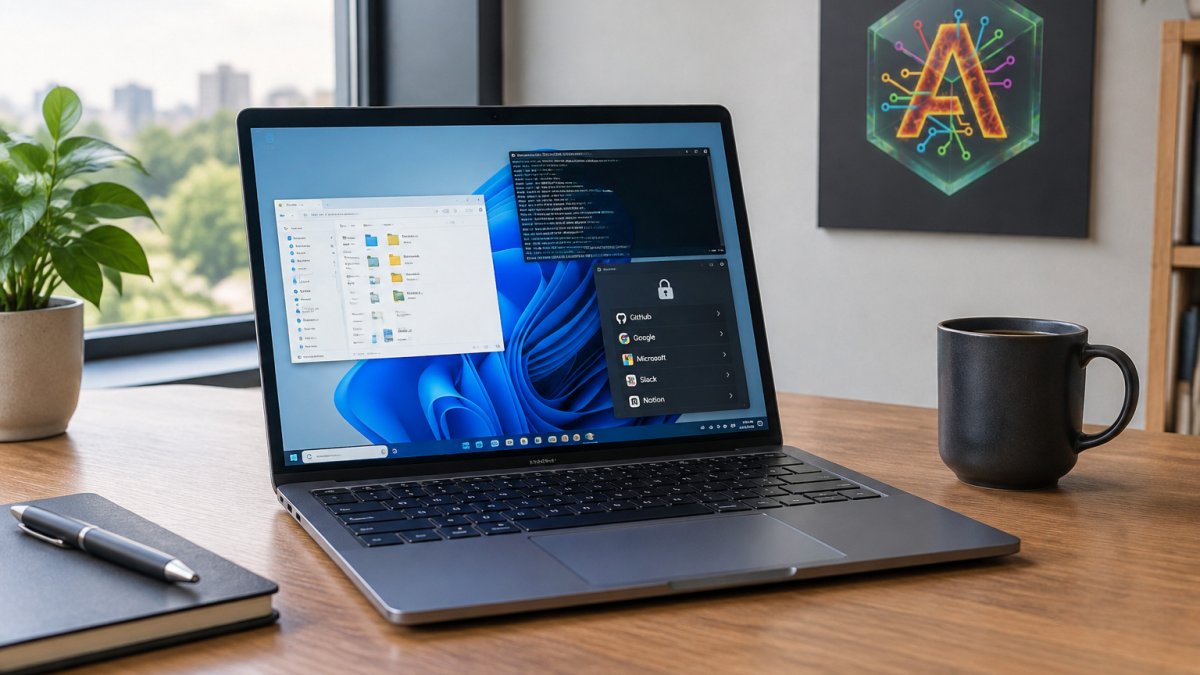
Able is a licensed Windows 10/11 desktop agent from Apex Empire Inc. It runs on your PC after you say yes, and it can organize and find files, run terminal commands, and type vault logins without the model ever seeing the vault password. Chat and research still go to cloud brains such as Claude, Gemini, Grok or Kimi over the internet.
Why AI Assistance and Data Privacy Pull in Different Directions
Real ai assistance privacy depends on remembering that AI assistance works best when the model can see the code it is helping with. A useful suggestion for a bug usually needs the function, its surrounding context and sometimes the config file that explains the failure. Every extra file you share widens what leaves your machine.
Adoption is no longer the question, how much of your codebase each tool touches is.
Privacy is not only a concern for developers. Confidence is not verified control, and that gap is where most leaks happen.
AI Coding Assistant Privacy: What Cloud Tools Actually Do With Your Code
Cloud coding assistants differ in how they handle prompts, snippets and repository context. Before you paste anything proprietary, answer three questions: what is stored, for how long, and whether it is used for model training.
Claims are a starting point, not proof. Read the policy for the plan you actually use, because enterprise and individual tiers often differ.
The gap most comparisons leave open is the data path itself. A cloud assistant sees several distinct streams, each with its own retention and training rules:
- The prompt you type. The instruction plus whatever you paste or attach. This is the stream most policies describe.
- The context window. Files, open tabs, terminal output or diagnostics the extension automatically attaches. This is often larger than developers assume and is rarely itemized in a summary policy.
- The repository index. If the tool indexes your repo for retrieval, embeddings of your code may be stored separately from chat history, with a different retention clock.
- Telemetry and diagnostics. Crash reports, latency metrics and sometimes prompt/completion samples used for quality monitoring.
- Subprocessors. The model provider, the vector store, the logging vendor. Each is a separate data recipient, and the primary vendor's policy may not name them all.
A useful exercise is to map each stream to a written answer. If a vendor cannot tell you whether repository embeddings are retained after you delete a chat, that is a finding, not a footnote.
Retention, Deletion and Training Use
Three things decide your exposure: how long prompts are retained, whether you can delete them, and whether your inputs can improve a shared model. Look for an explicit training opt-out, a documented retention window, and a deletion path covering both logs and cached context.
Deletion often removes the chat from your view but leaves derived artifacts, embeddings, evaluation samples, abuse-monitoring logs, on a separate schedule. Ask whether deletion propagates to the index and to any fine-tuning or evaluation pipeline. Enterprise tiers often add zero-retention or contractual no-training terms the individual tier lacks, so the plan name on your invoice is part of the privacy answer.
Privacy Settings You Should Check First
Check the following before your first real project:
- Training opt-out is switched off for your account or workspace.
- Retention period is written down, not "as needed."
- Repository indexing is limited to the folders you choose.
- Telemetry on prompts and completions is reviewed and disabled where possible.
- Your plan tier is the one whose policy you read, not a free tier with different terms.
- Workspace or organization policy overrides personal settings where both exist.
- Secret scanning is on, so an API key pasted by accident is flagged before it is stored.
Watch out: a training opt-out on your personal account does nothing if your organization's workspace policy re-enables data sharing, so confirm the effective setting at the workspace level.
This is also where a desktop agent like Able differs from a cloud coding assistant. Able's file, folder and vault work runs on your Windows PC after you approve each action, and vault passwords are typed into the target application rather than sent to a chat window.
Local AI for Coding: What Moves On-Device and What Does Not
Local models keep inference on your hardware, removing one category of risk. If you are choosing a setup, compare private, offline AI tools and their hardware needs.
Be precise about what "local" covers. Running a model locally keeps the prompt and output on your device, but it does not automatically protect the surrounding workflow.
The clearer way to compare tools is by deployment model, because that is what actually determines what leaves your developer environment. Four patterns cover most setups:
- Cloud-hosted. The model runs on the vendor's infrastructure. Prompts, context and often repository indexes leave your machine. Best capability and lowest setup effort; the most data movement.
- Self-hosted. The model runs on servers you control, either on-prem or in your own cloud account. Data stays inside your perimeter, but you own the GPU cost, patching, model updates and access control. Common in regulated teams.
- Local. The model runs on the developer's own laptop or workstation. Nothing leaves the device for inference, but context limits, speed and quality are constrained by the hardware, and the surrounding tooling can still leak.
- Hybrid. Some steps run locally and some in the cloud. This is the most common real-world pattern and the hardest to reason about, because the privacy answer depends on which step handled which data.
A practical evaluation is to draw the boundary for each tool: what crosses it, in which direction, and under whose policy. For a cloud assistant, the boundary is the network call.
Able takes a deliberate split rather than claiming to be fully local.
Protecting Source Code When Using AI: Threat Model and Leakage Scenarios
Before you choose a tool, write down what you are protecting and from whom. Common leakage paths include:

- Pasting a full file that contains an API key, connection string or internal hostname.
- A repository indexer picking up a
.envfile or a private key you forgot was in the folder. - An agent with broad file access reading client documents to answer an unrelated question.
- A shared chat history others on the team can open.
- A plugin that sends context to a third-party endpoint you did not review.
Scope access tightly. Give an agent only the folders it needs, keep secrets in a vault rather than in files, and strip or redact personal data before sharing a snippet. Limiting agent permissions by folder with explicit approval gates is one of the simplest controls you can apply, and our guide on how to limit AI agent permissions on Windows walks through the setup. For a broader checklist on keeping files private, see how to keep AI files private on your Windows PC. For a broader checklist on keeping files private, see how to keep AI files private on your Windows PC.
Offline AI Assistant for Developers: Where Able Fits and Where It Does Not
Developers often ask for an offline assistant that handles everything. Able does not do that. Here is the honest split.
Able fits well when your work involves the Windows machine itself: sorting Downloads, running terminal commands, or typing a login from the vault into a web form.
Able does not fit when you need a fully offline model that writes or reviews code without any network access.
If you are weighing Able against lapu.ai, the main practical difference is platform. Lapu ships for Mac, and Able does not. Our side-by-side comparison at https://uable.store/vs/lapu/ sets out the other differences.
Side-by-Side Privacy Checklist for Evaluating Coding Tools
Use this checklist before you commit a real project to any tool. Mark each item based on the written policy for your plan, not the marketing page.
| Question | What a good answer looks like | Tools to compare |
|---|---|---|
| Is training on my inputs opt-out? | Clear, account-level switch | GitHub Copilot, Cursor, Tabnine |
| How long are prompts retained? | A stated number of days | Any cloud assistant |
| Can I delete my history? | Self-serve deletion covering logs | Any cloud assistant |
| Where does inference run? | Named region or on-device | Local runners vs. cloud |
| Which files can the tool read? | Folder-scoped, with approval | Desktop agents |
| Are credentials kept out of the model? | Vault or keychain, not chat | Desktop agents |
| Is the plan's policy the one I read? | Policy matches my tier | All |
Some items in this table depend on your plan tier and region, so verify them against the current vendor documentation before you rely on them. Treat any answer you cannot find in writing as a no. For what is verified today and what the local vault guarantees, see what is true about Able's trust claims. For how Able handles trust and what is verified today, see https://uable.store/trust/ and the reasoning in https://uable.store/notes/why-able/.
Pick the Setup That Protects Your Code and Still Gets the Work Done
No single tool gives you maximum capability and zero data movement.
Start with the free trial to see how an agent behaves on your own files before you trust it with more. Able's trial runs for 3 days with no card required. Compare current options at https://uable.store/#pricing, or begin at https://uable.store/trial/. Able is built to get work done on your PC without handing your vault passwords to a chat window, the standard we would hold any tool to.
Frequently Asked Questions
Is local AI more private than cloud-based AI?
Running a model on your own machine keeps prompts from leaving that machine, which removes one category of exposure. It does not make everything private, though. Any tool that reaches the internet for updates, telemetry, or a cloud model can still transmit data. Able runs on your Windows PC and handles files, terminal commands and vault logins locally, but chat and research use cloud brains over the internet, so Able is not fully offline. Check exactly which features call out and read the vendor's data handling terms before you rely on either claim.
Do AI coding assistants store or train on the code I submit?
It depends on the vendor, the plan you buy and the settings you choose. Some tools offer options to disable training on your inputs and to limit retention, while others have different defaults. A 2025 Stack Overflow survey found 84% of developers use or plan to use AI tools, which is why these questions matter for teams. Read each product's current policy, confirm it in writing for your plan, and test the opt-out settings yourself rather than assuming them.
What data should developers avoid sharing with AI assistants?
Avoid pasting production credentials, API keys, customer records, unreleased source for sensitive systems, and anything covered by a client confidentiality agreement. Replace secrets with placeholders before asking for help, and keep logins in a password manager rather than in code or prompts. Able keeps vault-typed logins on the Windows PC rather than speaking them into chat, so the model does not need to see the password. Decide these rules as a team before anyone starts using a tool.
How can a team evaluate the privacy of an AI coding assistant?
Start with a written checklist: retention period, whether inputs train models, deletion controls, access permissions, encryption, sub-processors and where data is processed. Ask vendors for documented answers and compare them across the tools you shortlist, including GitHub Copilot, Tabnine and Cursor. Run a short pilot with non-sensitive code first. Treat marketing claims about privacy as starting points that need evidence from policy documents or contracts.